Get Premium Plugins, Themes & Digital Products at Affordable Prices — 24/7 Expert Support! Get It Now >>

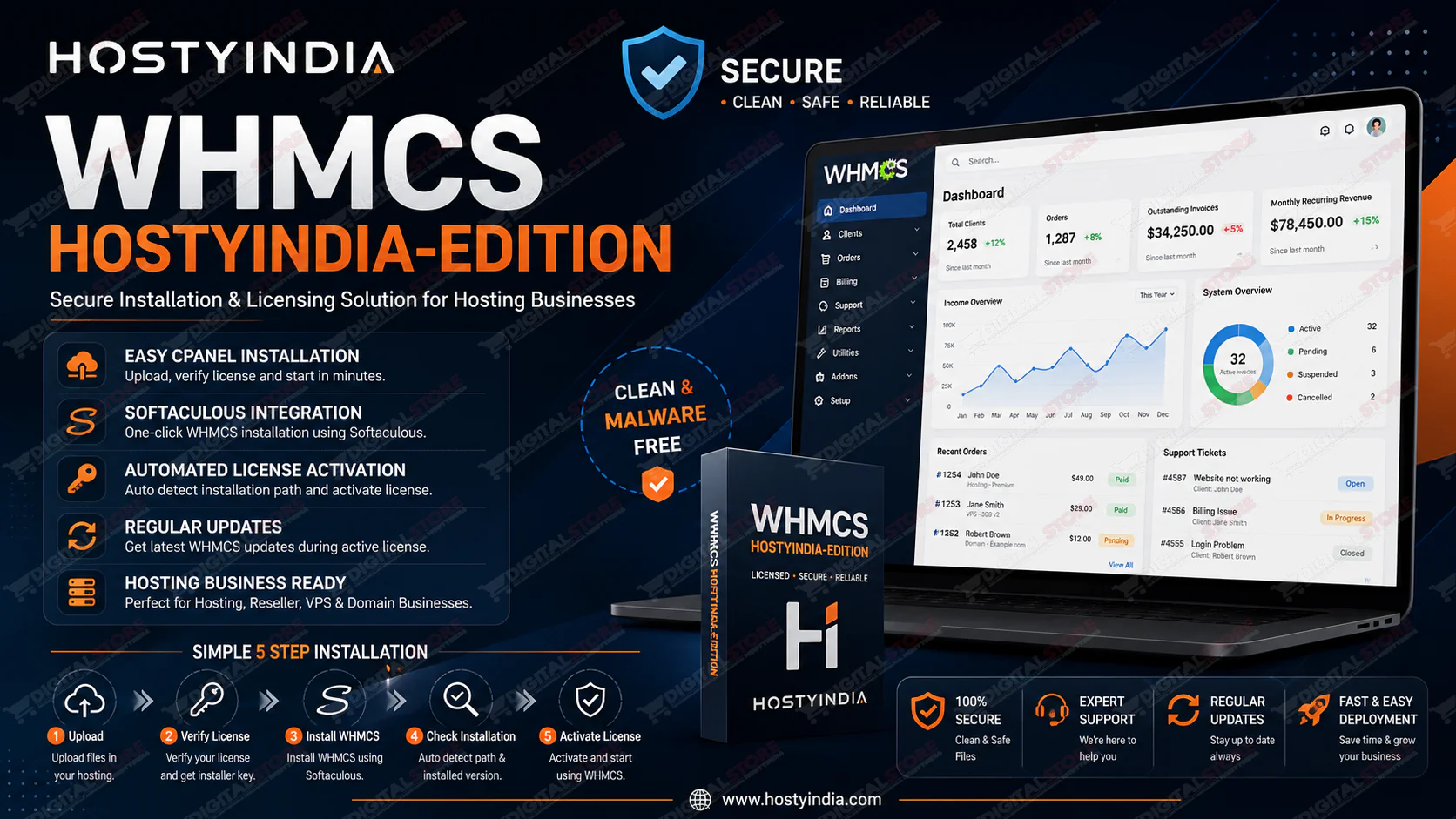
WHMCS Hostyindia-Edition

9 Sales
WHMCS Hostyindia-Edition

Secure WHMCS Installation & Updates Without GPL Risks

WHMCS Hostyindia-Edition is designed for hosting providers who want a safer and more reliable alternative to using outdated GPL or modified WHMCS packages. Many GPL or nulled versions available online may contain hidden malware, backdoors, or modified files that can put your hosting business, client data, and billing system at serious risk.

With Hostyindia-Edition, you receive a clean installation process integrated with our licensing system. As long as your license remains active, you will continue to receive WHMCS version updates and installation support.

Why Choose Hostyindia-Edition?

✅ Clean WHMCS installation process

✅ Easy license activation

✅ Integrated installer system

✅ WHMCS version update access during active license period

✅ Simple deployment through cPanel

✅ Suitable for Hosting Providers, Resellers, and Web Hosting Businesses


Installation Process

Step 1: Download Package

After purchasing Hostyindia-Edition, you will receive:

  • Hostyindia-Edition ZIP Package
  • License Key from our License Manager

Step 2: Upload Files

Upload the Hostyindia-Edition ZIP package to your hosting account and extract it.

Open:

domain.com/Hostyindia-Edition/index.php

Step 3: Verify License

Enter your License Key and verify your license.

After successful verification, the system will generate a Softaculous Installer License Key.

Copy and save this key for the installation process.

Step 4: Install WHMCS Using Softaculous

  1. Login to your cPanel account.
  2. Open Softaculous Apps Installer.
  3. Search for WHMCS.
  4. Click Install.
  5. When Softaculous asks for the License Key, enter the generated installer key.
  6. Complete the installation process.

Step 5: Activate Hostyindia License

After WHMCS installation:

  1. Select the installed WHMCS version.
  2. Click Check Installation.
  3. The system automatically detects the installation path.
  4. Click Activate License.

Your WHMCS installation is now ready to use.


Perfect For

  • Web Hosting Companies
  • Reseller Hosting Providers
  • VPS Providers
  • Dedicated Server Providers
  • Domain Resellers
  • Hosting Startups

Benefits

  • Quick Setup
  • Easy Licensing
  • Automated Detection
  • Ongoing Updates
  • Professional Deployment Process
  • Reduced Risk Compared to Untrusted Sources

Start your hosting business with a reliable WHMCS deployment experience using Hostyindia-Edition.

License Option
Quality checked by Hostyindia Degital Store
Full Documentation
Future updates
24/7 Support
9 Sales

We use cookies to personalize your experience. By continuing to visit this website you agree to our use of cookies

More